
The starting point
Flicker can involve the bulb or LED driver, dimmer compatibility, settings or the installation itself. Record the exact products and when the symptom occurs before buying replacements. Do not assume that every LED labeled dimmable works with every dimmer.
Record the pattern without opening equipment
Describe whether the light flickers only at low brightness, at full output or after being switched off. Note whether all lights on that control behave the same way. A short video taken from a normal viewing position can help explain it. If there is smoke, a burning smell, visible damage or an unusually hot control, stop using the affected equipment and get appropriate electrical help rather than treating it as a cosmetic lighting issue.
Identify the full lighting chain
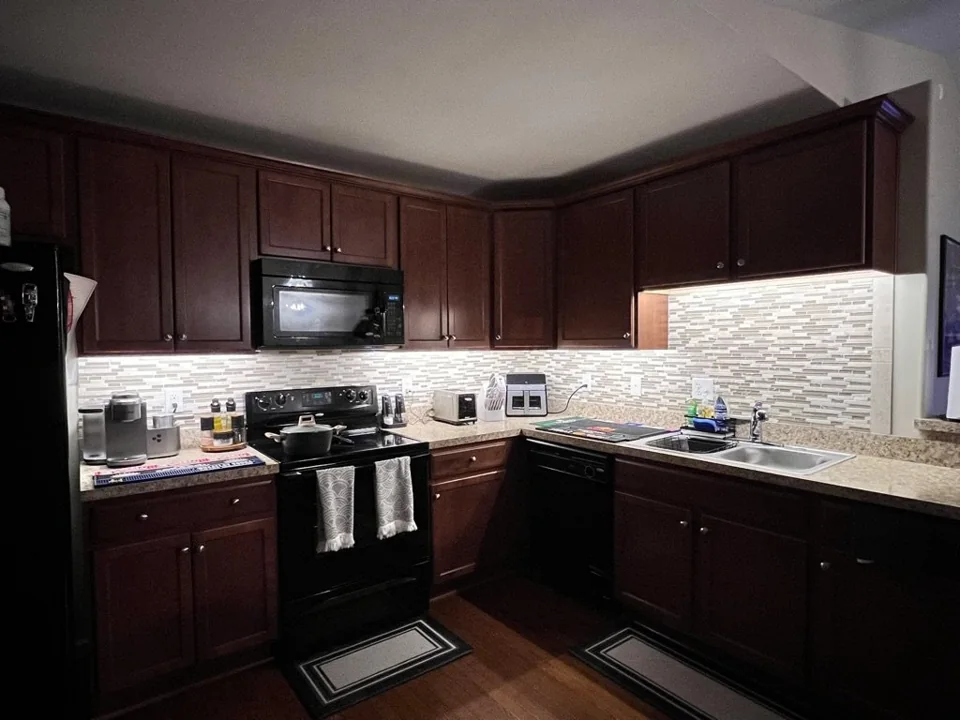
For a screw-in bulb, keep the model and packaging if available. For an under-cabinet strip, the driver or power supply is also part of the system. Photograph labels only when safely accessible; do not remove covers or expose wiring to find them. Include the visible dimmer and any known model details. Changing only the bulb may not address a mismatch elsewhere in the arrangement.
Use the manufacturer’s compatibility information
Lutron publishes compatibility resources for its dimmers and notes that LED glow or flicker can depend on the combination of control and bulb. Check the exact model pairing, not just two brand names. Some adjustments are product-specific and belong in the appropriate installation or setup process. A mixed set of bulbs can also make it harder to compare behavior, so describe what is actually installed.
Define the range you want to use
Explain whether you need bright preparation light, a low evening setting or a reliable on/off routine. A product can suit one use without delivering the dimming range you expected. If you are planning a new lighting run, discuss the fixture, driver and control as one system before materials are ordered. If the existing lighting was previously stable, note when the behavior changed and any recent product replacements.
Agree the right kind of help
Maz can review the symptoms and discuss lighting compatibility or a suitable upgrade in Richmond, Midlothian or Chesterfield. Diagnosis or alteration of electrical wiring requires the appropriate professional scope. Confirm whether the next step is a product-compatibility review, a control replacement assessment or a broader electrical investigation. An online description alone cannot establish the cause.
Questions before you begin
Does flicker prove that the dimmer is faulty?
No. Compatibility, product settings and installation conditions can all matter. Record the symptoms and model combination before choosing a replacement.
Can a smart dimmer fix it automatically?
No. A smart control still needs to be compatible with the actual lighting load and installation. Connectivity is not a substitute for electrical compatibility.
Bring these to the conversation
- When flicker, glow or buzzing occurs
- Bulb, fixture, driver and control models if known
- Which lights are affected
- Recent changes or replacement products
- The brightness range and routine you want
Useful sources
Lutron: LED bulb and dimmer compatibilityLutron: LED flicker and glow with dimmersSource information checked October 28, 2026. Use the official source for current requirements and product details.
Planning information from FIXABL for homeowners in Richmond, Midlothian and Chesterfield County. The approach, qualifications and approvals needed for your home depend on the specific work and an assessment.